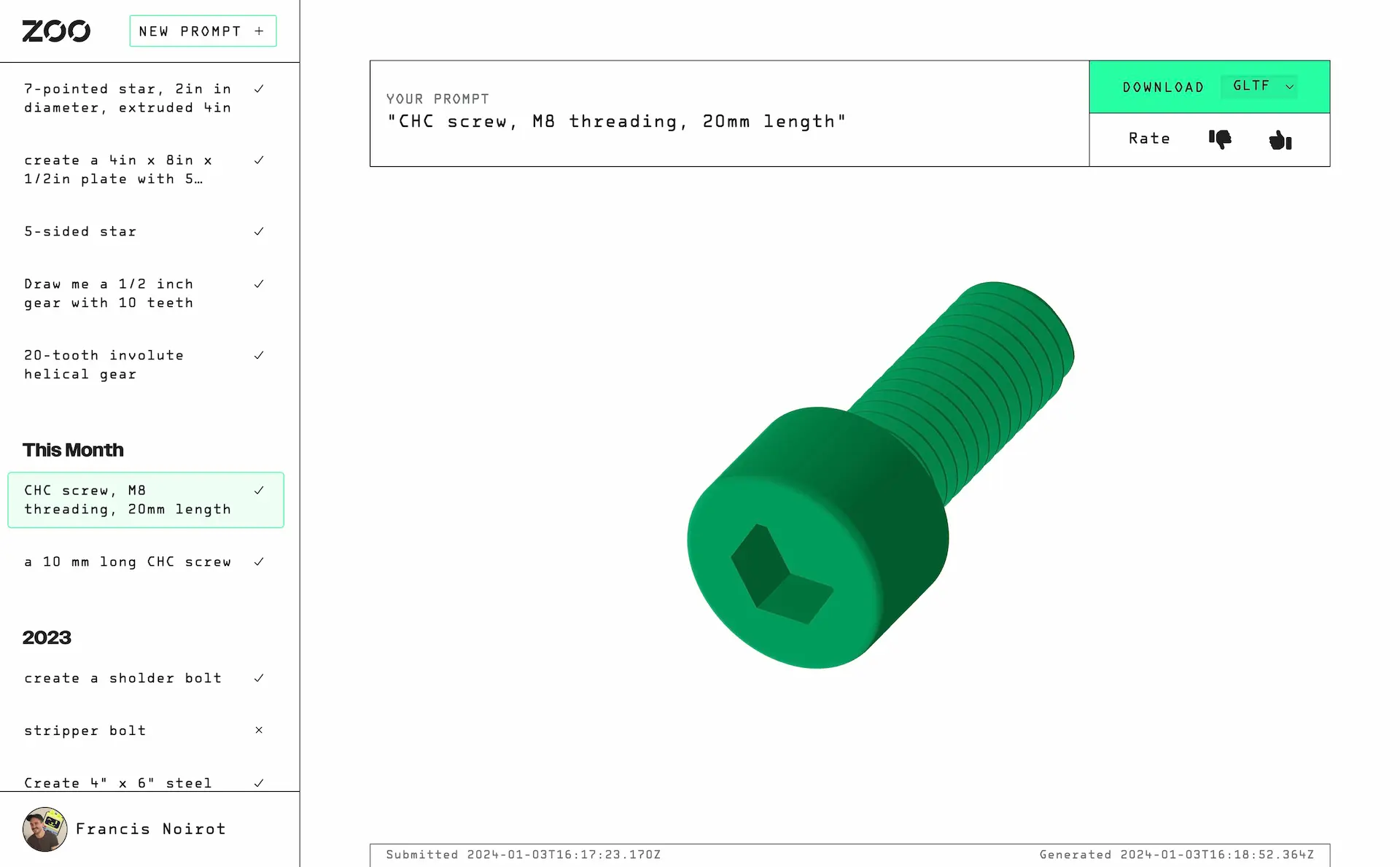
Text-to-CAD UI
I built text-to-cad-ui at my job with Zoo as one of two initial example frontend apps for Zoo's ML-ephant API for machine learning in CAD, the other being my colleague Jess' implementation of a Discord chatbot that does the same thing. The app allowed users to enter a natural language (any language!) description of an object and get back a CAD file. The app was built with SvelteKit and Threlte, a SvelteKit library for 3D rendering built on THREE.js.
For a good while this app was the most-used app from Zoo by a wide margin. The app has been decommissioned because it is no longer needed for users, as Zoo Design Studio now features a far superior chat-based interface for incrementally prompting for edits to the user's model, sitting alongside rapidly-developing familiar tools for modeling.
We initially tried a completely different look and feel for this app, which showed a 3D preview of every model in a lazily-loading list, but we ended up going with a sidebar layout that is more familiar to users of other LLM apps like ChatGPT. I was pretty happy with how it felt to use after that.
It was interesting to learn that it's better to have increase information density and have all of the models' links available to click through quickly, rather than having a 3D preview of every model. I didn't expect that to feel faster to use, but it did.